
How to Use Obsidian When You’re Tired (3 Survival Modes)
- 09/01/2026
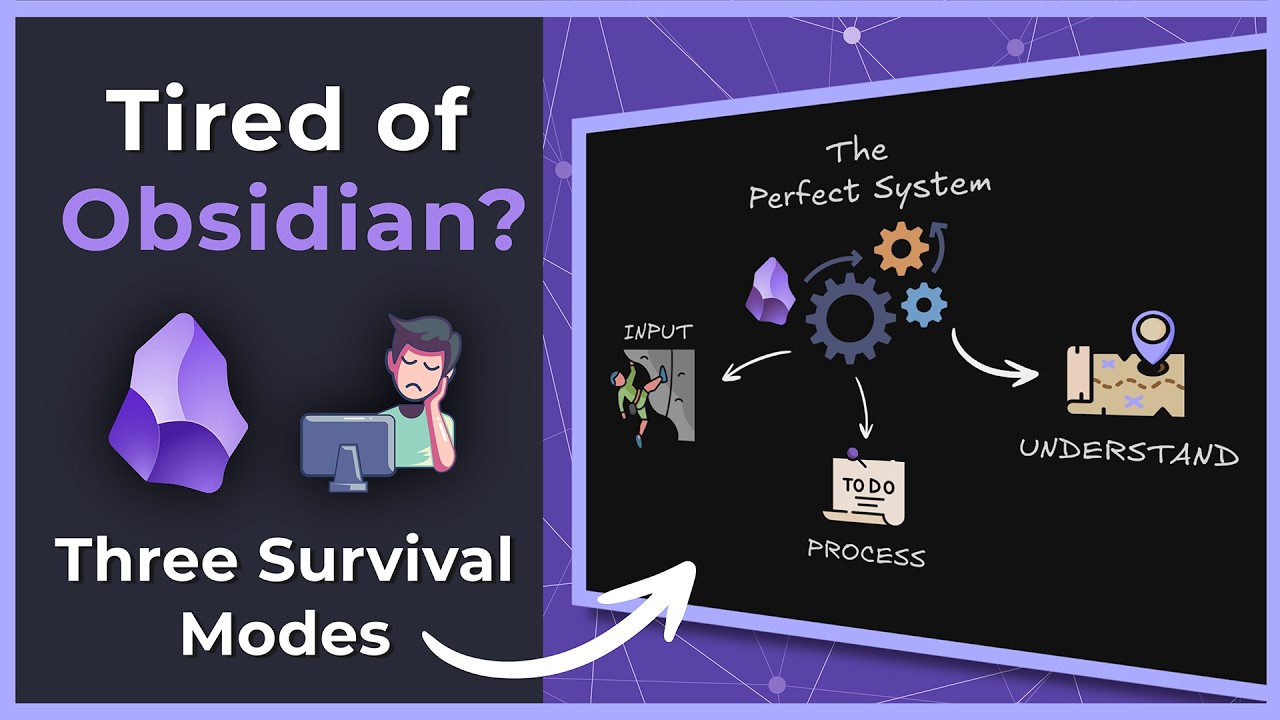
Description
This video addresses the common challenge of maintaining an Obsidian vault when feeling tired or overwhelmed. It introduces three “survival modes”—Input, Process, and Understand—designed to help users engage with their notes, community, and past work with low energy, focusing on sustainable interaction rather than perfect system creation. The core purpose is to prevent users from abandoning their vault by offering actionable, low-effort strategies.
Best Ideas
1. Embrace “Survival Modes” for Low Energy: Instead of striving for a perfect system, adapt your interaction with Obsidian based on your energy levels, choosing between input (passive engagement), process (small fixes), or understand (revisiting past work).
2. Smart Random Note for Effortless Engagement: Use a random note plugin to revisit old notes, allowing your “past self” to provide reminders, inspiration, or forgotten ideas with minimal effort.
3. Leverage Community for External Inspiration: When creativity is low, browse the Obsidian Reddit or forums to absorb others’ ideas, workflows, or problems, which can spark new insights or video ideas without requiring active content creation.
4. Process Mode: Small Fixes for Momentum: When big plans feel impossible, focus on tiny corrections like adding missing YAML properties or reformatting a note. These small wins restore a sense of control and build momentum.
5. Revisit Past Work & Workspaces for Understanding: Explore previously created notes, canvas files, or specialized workspaces (e.g., Excalidraw drawings) to remind yourself of what you’ve already accomplished and to re-engage with established concepts.
6. Visuals (Excalidraw) for Quick Recall: Create or revisit visual notes (like Excalidraw drawings) to quickly grasp complex ideas or action items, making information more memorable and accessible with less reading effort.
7. Obsidian as a System for “Not Disappearing”: Understand that the primary goal isn’t always to win or create a groundbreaking system, but simply to stay connected and prevent your knowledge base from falling apart during low-energy periods.
Tools and Resources
- Obsidian: The primary personal knowledge management (PKM) software.
- Smart Random Note Plugin: Allows opening a random note from the vault.
- Obsidian Reddit: A community forum for Obsidian users to share and discuss.
- Obsidian Forums: Official forums for Obsidian discussions and support.
- Discord: Used by the creator to receive scraped Reddit posts.
- Add-in to Scrape Reddit: (Implied, not explicitly named) For automatically gathering trending Reddit posts.
- Banner’s Plugin: (Community plugin, shown in a demo vault) For adding visual banners to notes.
- Buttons Plugin: (Community plugin, shown in a demo vault) For creating interactive buttons in notes.
- Call-out Manager: (Community plugin, shown in a demo vault) For managing custom call-outs.
- Columns: (Community plugin, shown in a demo vault) For creating multi-column layouts.
- Media DB: (Community plugin, shown in a demo vault) Likely for managing media databases within Obsidian.
- Pretty Properties: (Community plugin, shown in a demo vault) Enhances the display of YAML properties.
- Settings Search: (Community plugin, shown in a demo vault) For searching Obsidian settings.
- Catppuccin Theme: (Obsidian theme, mentioned in a demo vault) A minimal, aesthetically pleasing theme.
- Commander Plugin: (Community plugin) For managing custom commands and workspace layouts.
- Workspace Plus Plugin: (Community plugin) For switching between different workspace layouts.
- Templates (Obsidian Feature): For quickly inserting predefined structures (e.g., YAML properties, dates).
- Excalidraw (Plugin/Integration): For creating hand-drawn-style diagrams and sketches within Obsidian notes.
Key Learning Points
- Your Obsidian vault doesn’t need to be perfect; focus on sustainable engagement, especially during low energy.
- There are effective low-effort ways to interact with your knowledge base, such as passively reading random notes or exploring community content.
- Small, corrective actions (like fixing minor formatting or adding missing properties) can provide significant psychological benefits by restoring a sense of control and building momentum.
- Connecting with the broader Obsidian community (Reddit, forums) can be a rich source of inspiration and connection without requiring you to produce content yourself.
- Regularly revisiting your past work reminds you of your capabilities, the depth of your vault, and can unearth forgotten insights.
- Leverage Obsidian’s features and community plugins (e.g., templates, Excalidraw, workspace managers) to make these low-effort modes more efficient and accessible.
- The ultimate goal isn’t always rapid growth or perfect organization, but rather consistent interaction to prevent your system from stagnating or disappearing.