
Claude Forgets Everything in Obsidian. I Fixed It!
- 16/04/2026
Description
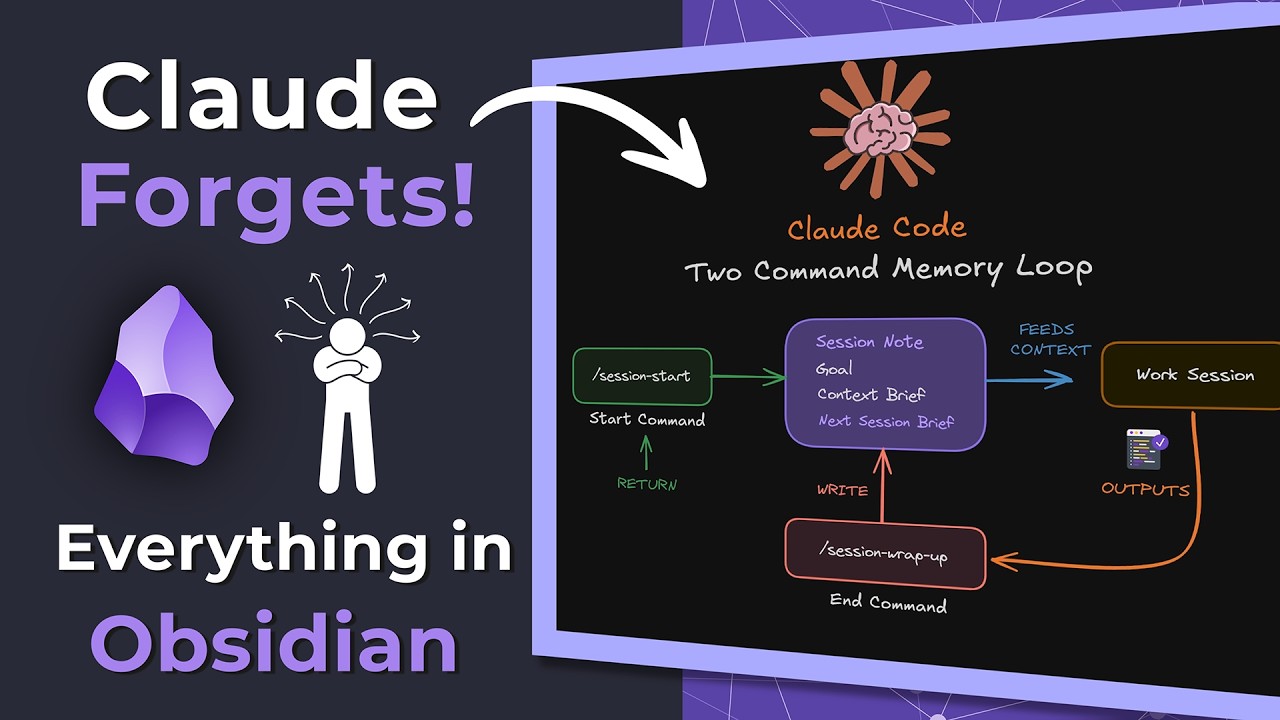
This video introduces a practical two-command system (`session start` and `session wrap up`) for Obsidian vaults to combat Claude AI’s “memory leak,” ensuring it retains context across sessions. This allows users to manage, pause, and resume complex AI-driven tasks by storing goals, context, and progress within dedicated Obsidian notes. The system integrates seamlessly with Obsidian’s knowledge management features, enabling efficient, persistent AI workflows for tasks like bulk vault maintenance.
Best Ideas
1. Two-Command Memory Loop: The core innovation is the `session start` and `session wrap up` commands. These define clear boundaries for AI interaction sessions, forcing Claude to remember the goal, context, and progress, and allowing for easy resumption of work.
2. Dedicated Session Notes as AI Memory: Utilizing structured Obsidian notes (with YAML properties for metadata like status, type, session number) to store Claude’s goal, context brief, and “next session brief” acts as a persistent memory layer for the AI.
3. Automated Context Preservation: The `session wrap up` command automatically drafts a “next session brief” and updates the session note, making it effortless to pick up exactly where you left off, even if distracted or ending a session midway.
4. Bulk Vault Maintenance with AI: The video demonstrates leveraging Claude to perform complex, repetitive tasks on multiple files (e.g., scanning 20 markdown files for missing front matter and applying `fix idea` commands), significantly streamlining upkeep for large vaults.
5. Integrated Automation Logging: All AI-driven automations are logged in a central `automation log.md` file within Obsidian, providing a valuable record of changes, when they occurred, why, and which files were modified.
6. Dynamic Session Tracking with Obsidian Bases: Using the Obsidian Bases plugin, users can create dynamic views (e.g., “active,” “recent,” “by type”) of their Claude sessions, offering an organized dashboard to monitor AI progress directly within their vault.
7. Flexible Interaction Points: The system is versatile, allowing users to interact with Claude and these commands from various environments: VS Code, the terminal (inside or outside Obsidian), or directly through Obsidian’s AI Tools community plugin.
Tools and Resources
- AI Model: Claude (specifically demonstrating Claude code for VS Code and terminal integration)
- Knowledge Management: Obsidian (as the central vault and platform)
- Editor/Terminal Access: VS Code, Obsidian Lean Terminal Plugin
- Obsidian Community Plugins:
- AI Tools Community Plugin (for general AI interactions)
- Folder Bridge Plugin (for mounting hidden folders like `.Claude`)
- Lean Terminal Plugin (for terminal access within Obsidian)
- Folder Notes Community Plugin (for creating index pages for folders)
- Bases Plugin (for dynamic data views and queries)
- Custom Slash Commands (defined in the `.Claude` folder):
- `/session start`: Initiates an AI session, setting the goal and context.
- `/session wrap up`: Concludes/pauses a session, saving context for the next time.
- `/fix idea`, `/fix tool`, `/fix concept`: Specific AI skills/commands for reformatting notes based on type.
- `/init`: (General Claude command) To create the initial `Claude.md` file for vault structure.
- Obsidian Files & Structure:
- `.Claude` folder: Stores custom commands and AI configuration.
- `Claude.md`: Provides Claude with vault structure and general rules (e.g., `automation log` rule).
- `spaces/Claude sessions` folder: Stores individual session notes and context notes.
- `toolkit/automation log.md`: Central log for all AI automations.
- Custom YAML properties: Used in session notes (e.g., `status`, `type`, `session number`).
- Obsidian Theme: Minimal Theme (mentioned for CSS class usage).
Key Learning Points
1. Mitigating LLM Context Drift: The primary lesson is that explicitly defining session boundaries and systematically feeding context back to the AI (through dedicated notes and commands) is crucial for managing long-running or multi-step AI tasks.
2. Structuring AI Workflows for Consistency: By creating “start” and “wrap up” points, users can impose structure on potentially unstructured AI interactions, leading to more predictable and manageable outcomes.
3. Obsidian as an AI Operations Hub: Obsidian can effectively serve as a personal AI operations center, using its note-taking, linking, and plugin ecosystem to orchestrate, log, and track complex AI-driven projects.
4. Leveraging AI for Productive Automation: AI models like Claude can be powerful tools for automating tedious but important tasks (like vault maintenance and reformatting) when given clear, structured instructions and access to relevant files.
5. The Importance of Detailed Instructions: For AI to perform complex tasks accurately, providing detailed, multi-step instructions within custom commands (like the `fix idea` example) ensures the AI understands the desired process and constraints (e.g., “preserve all existing content”).