
Obsidian AI Tools Explained (Complete Guide)
- 29/04/2025
Description
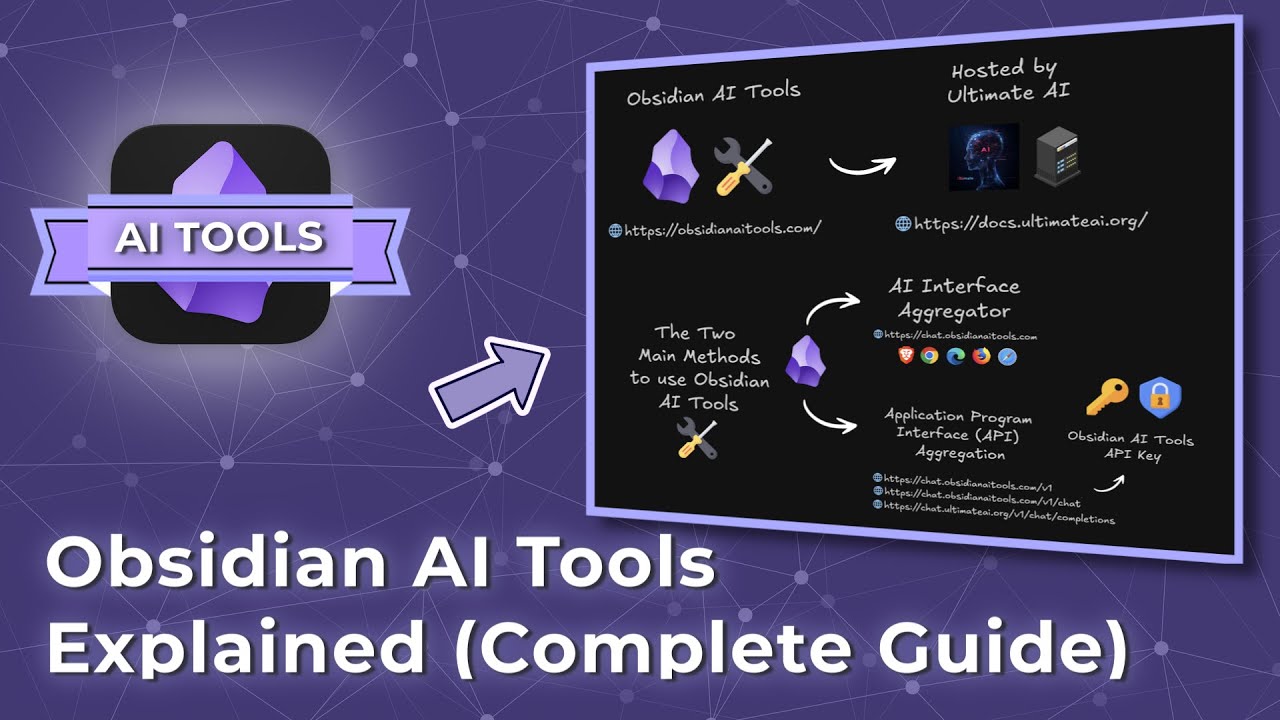
This video provides a complete guide on utilizing “Obsidian AI Tools” (powered by Ultimate AI) to revolutionize note-taking within Obsidian. It outlines various integration methods, from a direct web interface and Obsidian plugins to browser extensions and external development environments like VS Code, demonstrating how AI can streamline tasks such as reformatting notes, organizing ideas, and summarizing content.
Best Ideas
1. AI Interface Aggregator: Obsidian AI Tools acts as a central hub, connecting to multiple premium AI models (Claude, OpenAI, Gemini, DeepSeek, Perplexity) through a single interface or API, simplifying access and management.
2. Custom “Knowledge Studio” Agents: Users can create personalized AI agents within Obsidian AI Tools (e.g., “Obsidian Markdown Assistant”) with predefined goals and prompts to handle specific, recurring tasks like summarizing information, improving writing, or adding YAML properties faster.
3. Seamless In-Obsidian Integration: The video showcases two primary methods (Web Viewer core plugin and Custom Frames community plugin) to embed the full Obsidian AI Tools chat interface directly into Obsidian, allowing users to interact with AI models without leaving their vault.
4. AI-Powered Web Clipping for Research: The Obsidian Web Clipper extension can be configured with Obsidian AI Tools’ API to automatically summarize web pages or YouTube video transcripts upon capture, significantly streamlining content curation and research workflows.
5. Retrieval Augmented Generation (RAG) with Co-pilot: The integration with the Co-pilot community plugin enables advanced AI interactions, allowing users to “converse with their vault” and retrieve/synthesize information directly from their personal notes.
6. Advanced AI Research Vault in VS Code: For tech-savvy users, the Obsidian AI Tools API can be integrated with Visual Studio Code extensions (like ‘Client’ and ‘MCP Tools Server’) to create an autonomous AI research environment capable of generating files and having complex conversations with notes within an Obsidian vault.
7. Personalized AI Responses: The ability to set custom system prompts and add “memory” for LLMs within the Obsidian AI Tools settings allows for deeper personalization, ensuring more consistent and contextually relevant AI outputs tailored to individual needs.
Tools and Resources
- Obsidian AI Tools (Ultimate AI): The primary service for AI integration.
- Web Interface: `https://chat.Obsidian AI tools.com`
- API Endpoint: `chat.Obsidian AI tools.com/v1/chat/completions`
- Obsidian: The note-taking application.
- Obsidian Core Plugins:
- Web Viewer: For embedding web content, including Obsidian AI Tools, directly into Obsidian.
- Obsidian Community Plugins:
- Custom Frames: Preferred for embedding Obsidian AI Tools as a persistent custom pane within Obsidian.
- Co-pilot: For an AI assistant and Retrieval Augmented Generation (RAG) capabilities with the vault.
- Local REST API: (Implied for VS Code integration to connect Obsidian to external services.)
- MCP Tools Server: (Implied for VS Code integration to facilitate communication between VS Code and Obsidian.)
- Browser Extension:
- Obsidian Web Clipper: For capturing web pages and processing them with AI. (Landing page: `obsidian.md-flash-clipper`)
- Aggregated AI Models (via Obsidian AI Tools):
- Claude (e.g., 3.5 Hoku, 3.5 Sonnet, 3.7 Sonnet)
- OpenAI (e.g., GPT-3.7, GPT-4.1, GPT-4.0 Mini, GPT-4.0 Mini Very 3)
- Gemini (e.g., Gemini 2.0 Flash EXP)
- DeepSeek
- Perplexity
- External Software:
- Visual Studio Code (VS Code): For advanced development and AI research vault integration.
- Client (VS Code Extension): An autonomous coding agent.
- Techniques:
- AI interface aggregation (combining multiple AI services).
- API aggregation (using a single API key for multiple models).
- Creating and leveraging “Knowledge Studio” agents.
- Configuring custom YAML properties in web clipper templates for AI processing.
- Utilizing system prompts and LLM memory for tailored AI interactions.
Key Learning Points
- Obsidian AI Tools acts as a versatile gateway to powerful AI models, offering both a user-friendly web interface and a robust API for deeper integration.
- Integration methods are flexible and varied, allowing users to choose the best fit for their workflow, from embedding a chat interface directly in Obsidian to sophisticated API connections with external tools.
- AI can significantly automate and enhance note management, performing tasks like reformatting, summarization, idea organization, and even content generation based on specific user prompts or vault content.
- Customizing AI behavior through “Knowledge Studio” agents and system prompts leads to more efficient and specialized AI assistance for recurring tasks, transforming generic AI into a personalized assistant.
- Leveraging AI for content capture and research via the Web Clipper and RAG capabilities (e.g., with Co-pilot) can drastically improve how users collect, process, and synthesize information from both external sources and their own knowledge base.