Obsidian Starter Vault PRO

๐Ÿ“ Overview

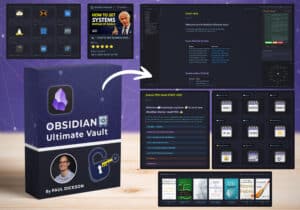
102 Page Obsidian Starter Kit - NOW INCLUDES OBSIDIAN BASES

Welcome๐Ÿ“–knowledge explorer ๐Ÿงญ to your new Obsidian Starter Vault. ๐Ÿ”
This starter kit was created to help you navigate and learn how to use Obsidian.

The "Obsidian Starter Vault PRO" contains all the content covered in my "Unlock the Ultimate Beginners Guide" on YouTube. The PRO version gives you all the information you need to get started with Obsidian.

๐Ÿ“ฆ What's Included

  • ๐Ÿ“„ Obsidian Starter Vault PRO Obsidian Vault with 102 notes
  • ๐Ÿ“„ Part 1: Getting Started with Obsidian Introduction
    Overcoming common barriers for Beginners
    Why Choose Obsidian
    Setup

    Choosing the ideal location for your Obsidian Files
    Download and install Obsidian
    Setting up your vault
    Create your folder structure
    Exploring the interface

    Explore the Obsidian Settings Menu
    Changing the default theme
    Core Plugins
    Community Plugins
    Obsidian Interface Tour
  • ๐Ÿ“„ Part 2: Mastering the Basics Creating Powerful Notes

    Learning essential Markdown
    Effective Note Taking and Note Making Strategies
    Connecting your Knowledge:

    Linking your Notes
    Understanding backlinks and how they work

    Organising for Easy Access:
    Tags and Search
    Map of Contents
    Visualise Your Knowledge
  • ๐Ÿ“„ Part 3: Unlocking Obsidian's Potential Exploring Graph Views
    Visualise your notes with Obsidian Canvas
    Boosting Your Workflow:

    Getting Started with Templates
    Beginner's Guide to Obsidian Journaling
    Productivity Hacks

    Mastering Hotkeys
    Setting Up Workspaces
  • ๐Ÿ“„ Part 04: The Power of Community: Leveraging the Obsidian Community:
    Obsidian Community Your Shortcut to Success
    If you would like to start with FREE version check this out at the link below
    ko-fi.com/s/33678f10a7

๐Ÿ› ๏ธ Installation Steps

  1. Extract Starter Kit Pro to your Obsidian Vault Location (example C:\Users\yourname\Documents)

  2. Download and Install Obsidian at https://obsidian.md/download

  3. Launch Obsidian, left click Open

  4. Navigate to location of your Starter Kit Pro, open folder "Obsidian Starter Vault"

  5. Click START HERE

โš™๏ธ Requirements

  • Obsidian

๐ŸŽฅ Video Tutorial

Related Products

Reviews

{{ reviewsTotal }}{{ options.labels.singularReviewCountLabel }}
{{ reviewsTotal }}{{ options.labels.pluralReviewCountLabel }}
{{ options.labels.noReviewsLabel }}
{{ options.labels.newReviewButton }}
{{ userData.canReview.message }}
0
0
Your Cart
Your cart is emptyReturn to Shop